
Download and Install the following: (Please write down passwords and have them accessible!)
NEW 2026 Update - VNC Viewer - You install on Home PC - VNC Server - We install on Work PC
Microsoft Database Driver - 64 bit - Needed for QCS to work
QCSPHoneCallsServer - Install if using VNC remote login, allows QCS on your remote PC to place calls to your Nextiva on your home PC.
You will need the
"Use At-Home Phone Server" box checked on QCS for
QCSPHoneCallsServer
to work.

QCS TCN Dialer - Needed for logging into VNC Dialer to send call info to QCS.
RingCentral - Info on how to use RingCentral for messages.
Uninstalling QCS - (QCS is installed from Docserver.)
You will need to know your username and password to log into RingCentral.
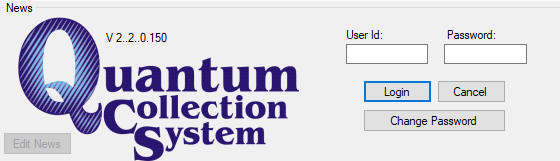
After setting up QCS, please enter your User Id & Password as normal, then click Change Password.
You will need a stronger password, at least 8 characters long, using letters, numbers and at least one special character.
If you have any problems, please contact Mark for assistance.
608-690-8812 Direct work number (Try 1st)
608-712-6397 Cell